
Debian-based foundation
APT packaging and a well-established Linux ecosystem underpin the desktop. Specific update behavior depends on the configured repositories and your maintenance practices.
Your guide to Linux Spectre—why it was created, how the everyday desktop works, what Spectre ToolHub does, and how to use the Kali environment responsibly.
Start with the topic you need. Each guide includes clear explanations, verified commands and practical examples—not just a list of features.
From verifying the ISO to your first boot: a careful, beginner-friendly path through VirtualBox and the installed desktop.
Read guide →Understand the GNOME environment, host applications, updates, and the difference between your desktop and the security toolbox.
Read guide →What the 760 entries mean, how the Kali Rolling container works, how to install a package, and how to keep your tools.
Read guide →A precise map of the verified operating-system layers, relevant systemd services, kernel, container boundaries and diagnostic commands.
Read guide →Symptom-based help with read-only checks first, small recoverable actions second, and warnings before anything destructive.
Read guide →The creator’s motivation, the specific problems Linux Spectre addresses, engineering challenges and verified outcomes—without marketing exaggeration.
Read guide →Linux Spectre, also called Spectre OS 1.0, is an independent Debian-based desktop Linux project designed for everyday computing and optional cybersecurity learning in one workspace.
Use its GNOME desktop to browse the web, work with files, run desktop applications, develop software, and learn Linux. When you need selected security tools, launch Spectre ToolHub—a graphical manager for a separate Kali Rolling environment rather than a replacement for the main operating system.
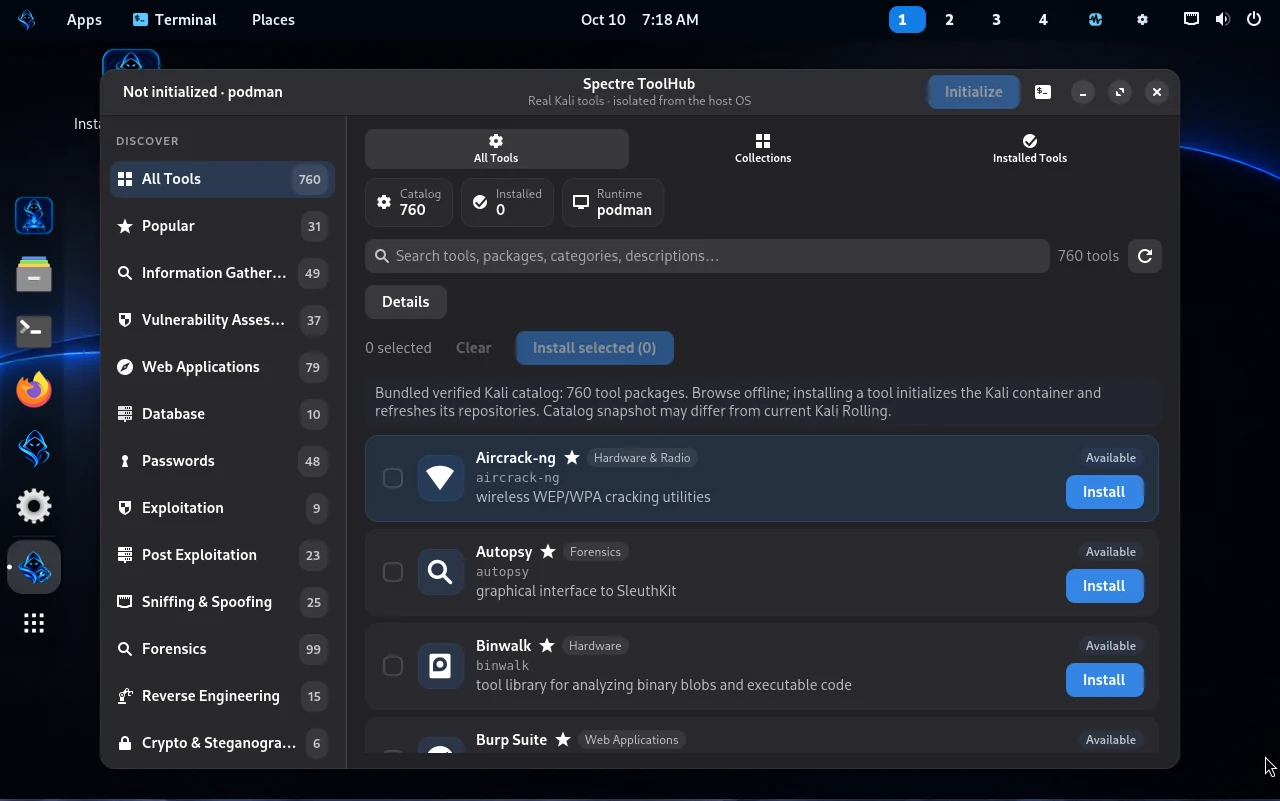
760 is the size of the bundled searchable catalog snapshot. Those packages are not all preinstalled. Users choose what to install after initializing the Kali container; repository availability can change.
“I created Linux Spectre because I wanted an operating system I could use every day while still having access to cybersecurity tools for learning and authorized penetration testing. Kali Linux inspired me, but I wanted a different balance—a familiar daily desktop with security tools available when I need them.”
The developer chose the Debian ecosystem for its long history, mature package management, and stability-focused tradition. Debian has influenced many Linux distributions, including Kali, though it is not the origin of every Linux distribution.
The name Spectre was inspired by the branding of the debloated Windows project often called Ghost Spectre. This Linux project is independently created, with a different software foundation, design, and purpose. It has no claimed affiliation with Kali Linux, Debian, Ghost Spectre, or Microsoft.
Linux Spectre is not intended to copy Kali. It takes inspiration from Kali's security-tool ecosystem while using a general-purpose desktop and an optional container workflow.
APT packaging and a well-established Linux ecosystem underpin the desktop. Specific update behavior depends on the configured repositories and your maintenance practices.
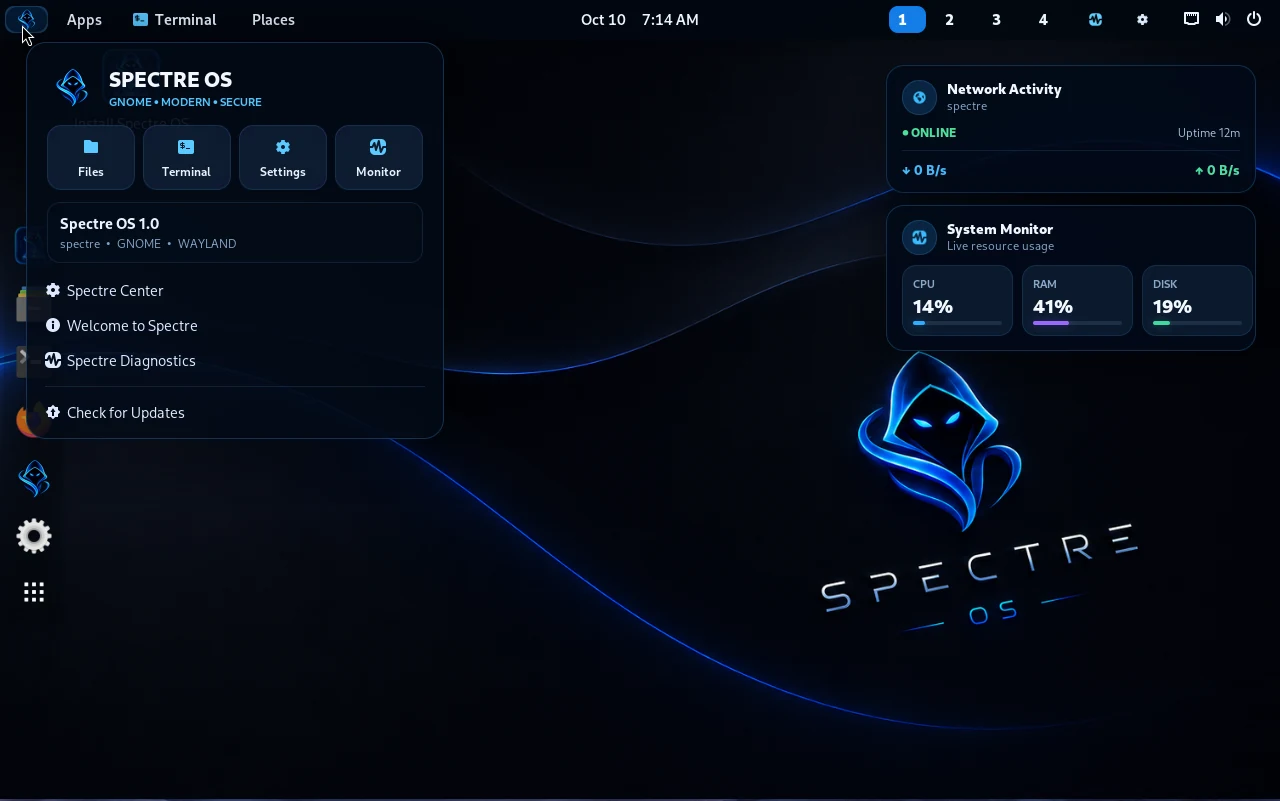
A familiar graphical desktop with file management, app launcher, settings, network controls, and terminal access. Project evidence identifies GNOME 48 and Wayland.
Distinctive blue-themed visuals, light and dark appearance, branded desktop elements, and a native-feeling GTK4/libadwaita ToolHub.
The verified OS identifies itself as 7.1.8-spectre. Custom branding does not automatically imply wider device-driver or security certification.
Choose Kali packages instead of installing a large collection of security tools onto the Debian-family host.
Installation and desktop resizing have been demonstrated in VirtualBox. Real-hardware compatibility varies by device and drivers.
The operating system follows a two-environment model: the Debian-family host remains the daily desktop, while the optional Kali Rolling container houses selected packages. ToolHub bridges them through rootless Podman.
Debian-based OS · GNOME · Wayland
Custom kernel · files & applications
Selected APT packages · Kali toolsspectre-kali-toolbox
This separation reduces the need to mix Kali package repositories into the host. It is not a security sandbox guarantee, and installed security tools still require appropriate permissions and authorized use.
Spectre ToolHub is a native GTK4/libadwaita graphical application that helps users discover, select, install, and reuse Kali-related packages without maintaining Kali as their daily operating system.
Search the bundled snapshot of 760 package entries by name and category, even before the Kali image is downloaded.
Initialize the container with an internet connection. Choose individual packages or controlled batches. The documented source limits a batch to 25 packages.
Package operations take place inside Kali Rolling using APT and show installation progress where measurable.
Packages stay in the same existing container after you stop it, reboot, and start it again—unless the container/storage is removed.
In the documented fresh-install test, Nmap 7.99 was installed inside Kali, ran successfully, and remained available after reboot when the container was restarted. This does not verify all 760 catalog entries.
Linux Spectre's 1.0 image has been installed and tested in a VirtualBox VM. The configuration below is a tested evaluation profile, not a formally established minimum hardware requirement.
Obtain the ISO from an official developer-published location when one is provided. Verify its SHA-256 checksum against the official value before installing.
Choose Debian (64-bit), approximately 4 GB RAM, 2 vCPUs, a new 40 GB virtual disk, VMSVGA graphics, and NAT networking for a first evaluation.
Boot the ISO and follow the graphical installer. Detach the installer ISO after shutdown and boot the installed OS from the virtual disk.
Use the GNOME desktop for ordinary tasks. When you want Kali packages, open ToolHub and initialize its Kali Rolling environment while connected to the internet.
Review available host updates and selected Kali package updates independently. Back up your files and container state before major changes.
sha256sum Spectre-OS-1.0-x86_64.isoRecorded release checksum: a49d7602a772c2db1dfb72411e47574ec908c5337d05131cb10433119f689d76. The matching checksum verifies integrity, not hardware compatibility or source authenticity by itself.
Read the full installation guide with ISO integrity checks, VirtualBox setup, first boot and a post-install checklist.
Search the 760-entry local snapshot; view package names, categories, and descriptions without assuming that every package is already installed.
ToolHub retrieves docker.io/kalilinux/kali-rolling:latest into rootless Podman (internet required initially), then creates or uses the named spectre-kali-toolbox container.
Install only what you need; ToolHub uses the Kali container's APT package manager, keeping Kali repository changes outside the host's main APT setup.
Execute tools within the existing Kali container. If it is stopped after a system restart, start that container again rather than creating a replacement.
podman start spectre-kali-toolboxpodman exec spectre-kali-toolbox nmap --versionNmap appears here because it was actually verified. It will not be available in a fresh container until selected and installed.
Run these commands from a terminal inside Linux Spectre. They inspect your installation or an existing Kali container; they do not install new tools.
uname -rpodman ps -a --format '{{.Names}} | {{.Status}}'podman info --format '{{.Host.Security.Rootless}}'podman exec -it spectre-kali-toolbox /bin/bashsystemctl is-active spectre-vbox-display.servicesystemctl show spectre-rootless-podman-subids.service -p Result -p ExecMainStatusLinux Spectre is intended for your own systems, security education, controlled labs, or engagements with explicit authorization. It does not grant permission to scan or assess other people's devices or networks.
spectre-kali-toolbox can remove installed packages if state is not separately backed up.Check internet connectivity and whether the official Kali image has been downloaded. Inspect the existing container with podman ps -a; Kali APT metadata may need refreshing. Do not switch the host's repositories to Kali to solve a ToolHub package error.
Check whether you are using the same spectre-kali-toolbox container. If it is merely stopped, run podman start spectre-kali-toolbox and retry. A removed/recreated container is different from a stopped container.
Exit 137 means a process received SIGKILL. A VM shutdown can cause this, but resource pressure is another possibility. Inspect podman inspect spectre-kali-toolbox --format 'Exit={{.State.ExitCode}} OOMKilled={{.State.OOMKilled}}'. If OOMKilled is false and the container starts, previously installed packages may still be intact.
First verify you installed the current Spectre image and that the VM is actually VirtualBox. Run systemctl is-active spectre-vbox-display.service and inspect VBoxDRMClient and VBoxService processes. Do not run a vendor kernel module rebuild against the custom kernel without verified matching headers.
You can configure many Linux distributions for many purposes. Linux Spectre's design makes a daily desktop the default, with a separate optional toolbox. The best choice depends on your hardware, skill level, and threat model.
No. The installed desktop is Debian-based. ToolHub makes the official Kali Rolling image available as a separate container.
That is why it was created: for browsing, files, development, and Linux study alongside optional cybersecurity learning. Hardware support and particular application needs must still be evaluated.
There are 760 catalog entries in the bundled offline snapshot; it would be inaccurate to claim that all 760 packages are preinstalled or universally compatible.
Yes, in the tested existing Kali container workflow. Nmap 7.99 persisted and ran after reboot and container restart. Other packages depend on their own compatibility and retained container storage.
No. The creator drew naming inspiration from that Windows-oriented project, but Linux Spectre is independent.
The public website's download button is configured only when an authorized distribution link is provided. Do not trust unofficial mirrors. The documentation and manuals are available separately from the ISO.
The documentation page offers the essentials online; the downloadable guides provide a structured edition for offline reference. Both were prepared from project source packages, confirmed installation logs, real captures, and stated limitations.
New here? Read the motivation, desktop benefits, ToolHub purpose, installation flow, verified features, and common questions.
For developers and advanced users: architecture, services, container operations, maintenance, troubleshooting, build provenance, and license responsibilities.
These documentation files are not operating-system installation media. The original PDFs and editable Word versions are included here for the convenience of readers.
Linux Spectre is an independent project developed under the identity CodeDev by Edward. It takes inspiration from Kali Linux and Ghost Spectre while remaining a different Linux project with its own identity and intended workflow.
Its foundation relies on work by the Debian, GNOME, Linux kernel, GTK/libadwaita, Kali Linux, Podman, and VirtualBox communities. Mentioning a project does not imply their endorsement.
Before distributing a public ISO, the maintainer must complete a license, notice, attribution, and corresponding-source review for embedded components, including the specific VirtualBox Guest Additions payload. Publishing website documentation does not by itself establish permission to redistribute every component.
Try a keyword such as Kali, install, desktop, system, reboot, kernel, Nmap or troubleshooting.